Overview of filtering
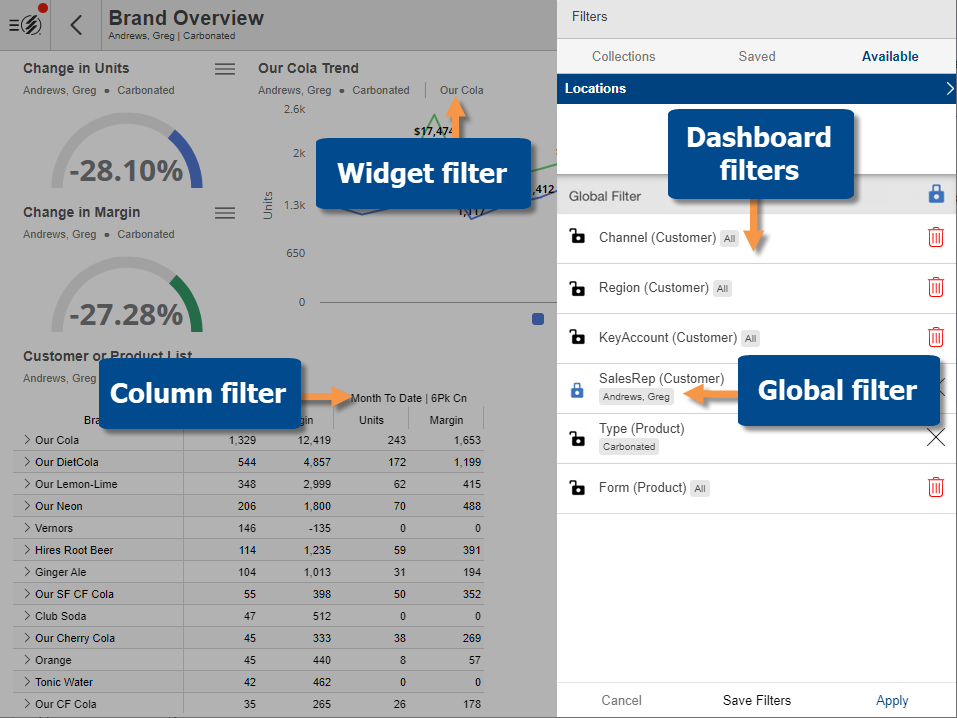
Filters allow you to narrow down on the exact information needed.
-
Global filters - stay on as you use different dashboards.
-
Dashboard filters - affect widgets throughout a dashboard.
-
Individual widget filters - affect a single widget.
-
Column filters - affect an individual column in a Multi Comparative widget.
Filters may be built into the dashboard as simple menus or buttons that provide easy selection of the data you wish to view. Widget links may also be built into a dashboard to make it easy to turn on filters. In addition, you can apply your own filters in the Salient mobile app by creating and turning on sets of members called collections, drilling down, and choosing locations.
Tip: The dashboard title shows global and dashboard filters that are currently on. The widget's breadcrumb path shows these filters and some individual widget filters. Tap on the widget menu icon  for a full listing of filters.