Filter by location
|
Pick whatever locations interest you to turn them on as a filter across all your dashboards. This allows you to focus on the performance of any single location or a group of locations. In the location panel, checkmark one or more locations; then tap on "Apply." |
|

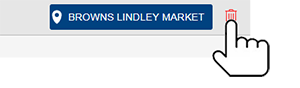
The filter will appear in the upper-right corner of the home screen. To turn location filters off, tap the trash icon.