Widget linking
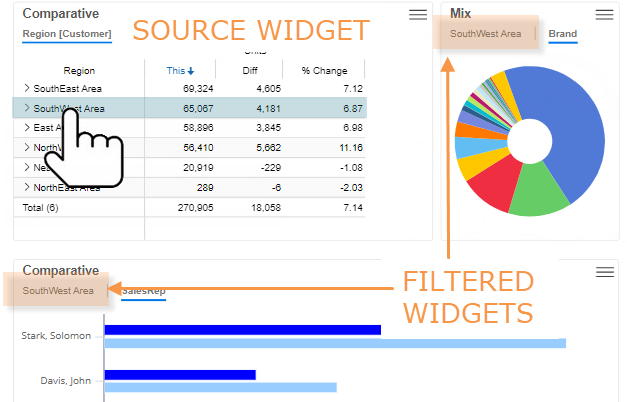
If widgets are linked, you can select a row or graph component in a "source" widget to filter other widgets in the dashboard. This filtering capability must be built into the dashboard.
|
To use widget linking filters |
|
|
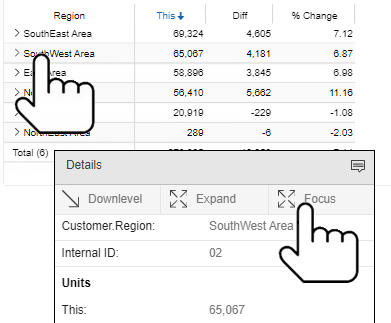
In the source widget, tap on the row or bar of the member on which you want to filter. In the details window, tap on Focus.
|
|