Column filters (in Multi Comparative)
|
|
|
|
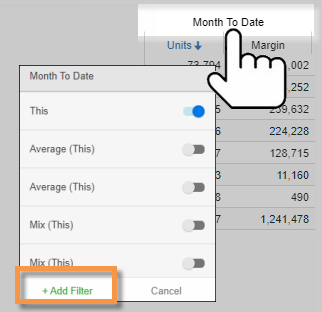
Filters may be applied to individual columns in a Multi Comparative widget to compare any subsets of data. Tap on the column heading, and then tap on Add Filter to access column filters.
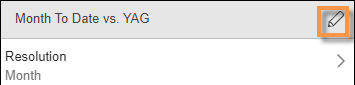
To add a column filter Go to the Collections area at the top of the panel; then, apply or create a collection. |
|
|
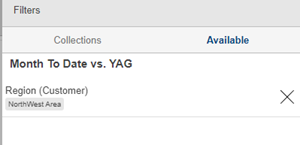
To edit a column filter (e.g., select a different member) In the Filters area for the column, tap on a filter to edit it; then, choose one or more members to filter on them. Tap on Done and then Apply.
To clear or remove a filter Tap the X to clear a dimension or key filter (i.e., show data for all members); then tap on Apply. Tap the trash icon to completely remove a filter. |
Tips: |